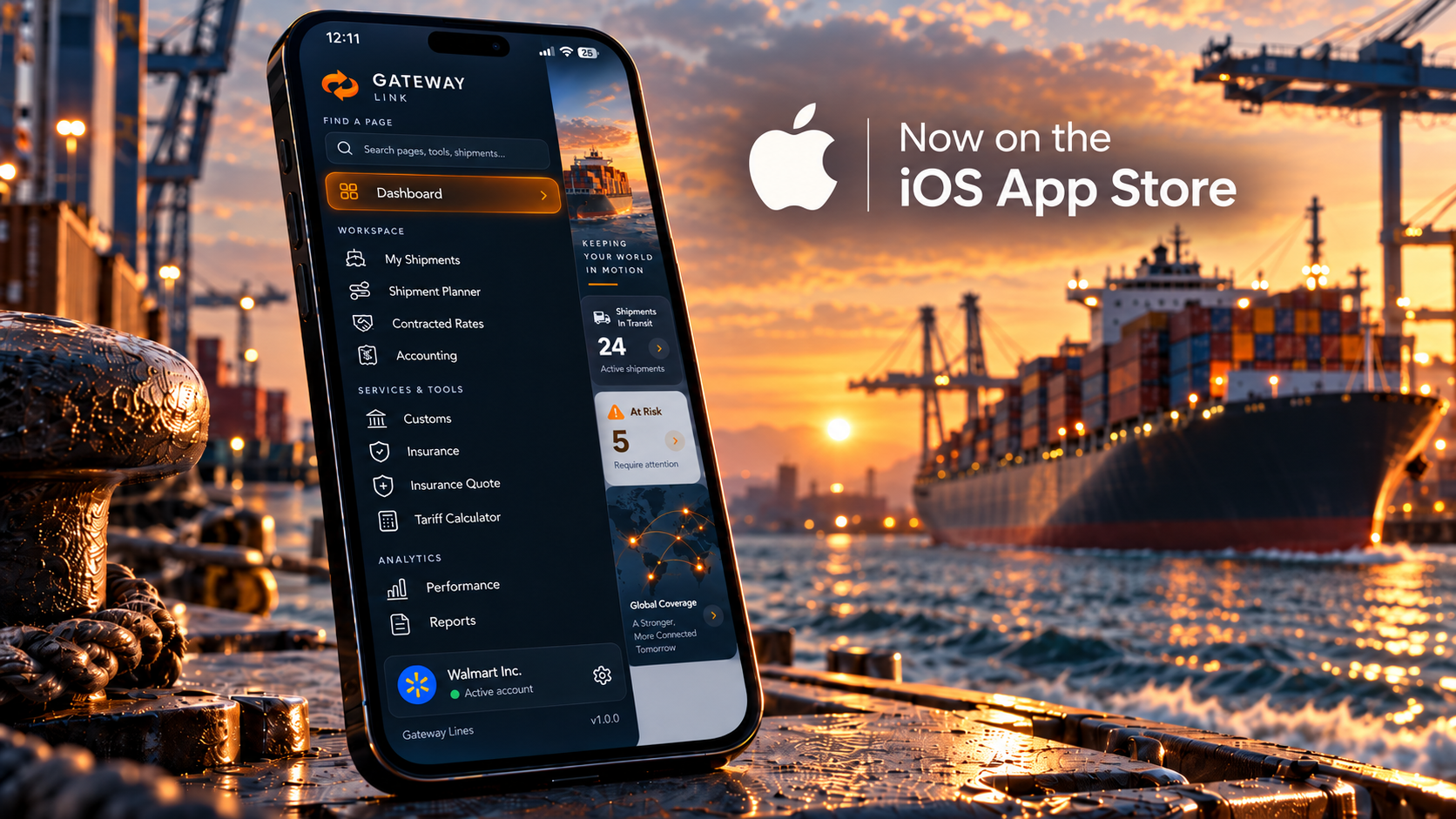
You should not have to be at your desk to check on your freight.
Gateway Link, the official Gateway Lines mobile app, is now available on the Apple App Store. Customers can manage shipments, review ocean freight rates and access documents through a mobile workspace built around their shipping needs.
Available to Gateway Lines customers, Gateway Link brings another way to stay connected to your freight throughout the working day. Whether you are visiting a supplier, walking the warehouse or preparing for your next shipment, the goal is straightforward: make the information you need easier to reach.
Download Gateway Link on the App Store.
An Ocean Freight App Built for Gateway Lines Customers
Gateway Link is Gateway Lines’ official mobile app, with shipment management, rates and documents brought together in one place. It is designed around the work involved in managing freight, rather than a single tracking lookup.
For the person responsible for a shipment, the useful questions are practical. What needs to be reviewed? Which information should be discussed with the supplier? What does the warehouse team need to know?
Our approach to mobile freight management starts with those questions. The purpose is not to give customers another screen to check. It is to make the shipping information they already need more accessible when a question comes up.
Manage Shipments, Rates and Documents from Your iPhone
Gateway Link’s mobile workspace brings together three core functions: shipment management, ocean freight rates and document access.
Keep Shipment Information Within Reach
Use shipment management as the starting point when reviewing your freight. Before discussing an order with your supplier or updating your receiving team, open the relevant shipment information and establish what you need to address.
The aim is a more useful conversation. Rather than beginning with a general request for an update, you can focus on the shipment and the next question that needs an answer.
Review Ocean Freight Rates While Planning
Rate review belongs in the planning conversation, not only at the end of it.
Use the available ocean freight rates as a starting point when discussing your next move with Gateway Lines. Bring your origin, destination, equipment requirements and cargo-ready date into that discussion so the proposed transportation plan reflects your actual shipment.
For purchasing teams, the important question is not simply whether a rate looks attractive. It is whether the proposed service fits the order, delivery requirements and budget.
Access Documents Without Returning to Your Desk
A document question does not always arrive while you are sitting in front of a computer.
Mobile document access gives you another place to consult shipment information during a supplier discussion, an internal review or a conversation with the Gateway team. Keep the relevant record in view and identify what needs clarification before moving to the next step.
Gateway Link Connects Inventory with Freight
Gateway Link adds inventory features covering products, stock levels, purchase orders and suppliers, linked to the shipments carrying them. That connection is identified in the app’s published release notes. For an importer, that creates a more useful way to think about a shipment.
The container matters because of the goods inside it. Those goods relate to a supplier, an order and a business requirement. Looking at those details together helps frame the right operational questions.
Which purchase order are we reviewing? Which products are associated with this shipment? What information should purchasing and receiving discuss before the next step?
The value of connected inventory and freight information is not simply having more records available. It is being able to understand the order in the context of the shipment carrying it.
Follow Drayage Moves with Live Truck Tracking
Version 1.5 also introduces live truck tracking on the map for drayage moves.
For a drayage move with tracking available, use that view alongside the shipment information when discussing delivery with your team.
A practical receiving conversation should cover more than a location on a map. Confirm the delivery appointment, receiving instructions and any questions that still need attention. Treat the tracking information as part of that coordination, not as a substitute for it.
Built Around the Way Customers Work
Consider a typical shipping conversation.
You are away from your desk when a colleague or customer asks about an incoming order. Before answering, you want to review the shipment. A supplier question comes up next, followed by a discussion about the goods involved and the next delivery step.
That is the kind of workflow we want Gateway Link to support.
The app brings shipment management, rates, documents and the inventory features described above into a mobile environment. Our objective is to make those capabilities useful in the course of a customer’s working day, rather than only during a scheduled logistics review.
Mobile access should make it easier to ask the right question and move the conversation forward.
How to Get Started with Gateway Link
Open the Gateway Link App Store page on your iPhone. Check the listing’s compatibility information, then install the app identified as Gateway Link by Gateway Lines.
Existing Gateway Lines customers can use their customer account to get started. For help with account access or setup, contact the Gateway Lines team.
Once you are in the app, begin with a shipment you are already working on. Review the information relevant to your role, then explore the rates, documents and other available tools as you need them.
Frequently Asked Questions
Who Is Gateway Link For?
Gateway Link is available to Gateway Lines customers. It is part of the Gateway customer experience, providing mobile access for businesses working with us on their freight.
Is Gateway Link Only a Container Tracking App?
No. The app’s published materials describe shipment management, ocean freight rates and document access. Version 1.5 also includes inventory connections and live truck tracking for drayage moves.
Can I Connect Purchase Orders with Shipments?
Gateway Link 1.5 includes products, stock levels, purchase orders and suppliers linked to the shipments carrying them. This brings order-related information into the freight-management workflow.
Where Can I Download Gateway Link?
Download the official app from the Apple App Store. Look for Gateway Link by Gateway Lines and review the device requirements before installing.
Keep Your Freight Within Reach
Gateway Link gives Gateway Lines customers a mobile way to stay connected to the work behind their shipments.
Review the shipment. Consult the document. Look at the order in context. Bring a clearer question to the next conversation.
Your next freight update should not have to wait until you get back to your desk.