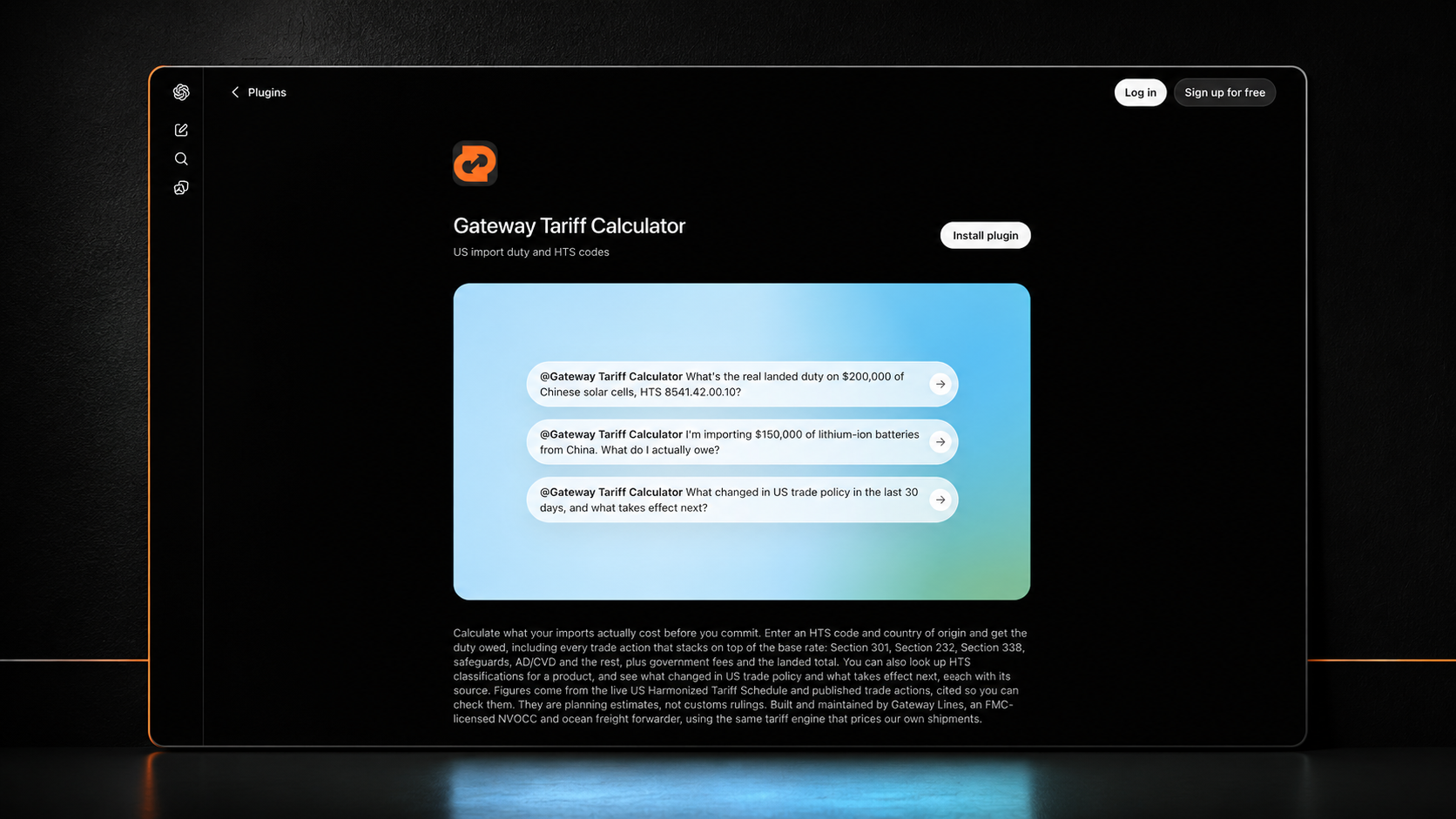
You can now ask ChatGPT what your import duty will be and get an answer calculated from the live US Harmonized Tariff Schedule instead of a guess.
The Gateway tariff calculator has been approved and published in the OpenAI Plugins Directory. Install it once, and ChatGPT can classify your product, price the duty, stack every trade action that applies, and tell you what changed in US trade policy last week. No API key, no account, no cost.
Add the Gateway plugin to ChatGPT
Key takeaways
Gateway's tariff engine is live in the OpenAI Plugins Directory and installs in one click.
It exposes three tools: HTS classification, landed cost calculation, and a US trade policy changelog.
Duty is calculated from the live USITC schedule plus every published trade action, including Section 301, Section 232, Section 338, Section 201, IEEPA and AD/CVD.
The plugin is free to use and requires no Gateway account.
The same server also runs as a Claude connector, because both are built on the Model Context Protocol.
What actually happened
OpenAI opened its plugin directory to public submissions earlier this year, and the review is not a rubber stamp. A submission goes through a portal that scans the MCP server, validates every tool definition against what the server actually does, and puts the whole listing in front of a reviewer before anything gets approved. Only after approval does the developer choose to publish, at which point the plugin appears in the directory shared by ChatGPT and Codex.
Clearing that review required a verified business identity, proof of domain control at the well-known challenge endpoint, accurate read-only and destructive-action annotations on every tool, a published privacy policy and terms, five positive test cases, and three negative test cases showing the server refuses to answer when it should refuse.
That last requirement is the interesting one, and we will come back to it.
As far as we can determine, Gateway is the first FMC-licensed NVOCC and ocean freight forwarder with an approved plugin in the directory. There are logistics software vendors in there. There is not, to our knowledge, another licensed carrier.
How to add the Gateway tariff plugin to ChatGPT
Open the Gateway plugin listing in ChatGPT, or search the Plugins Directory at chatgpt.com/plugins for "Gateway".
Click Connect. There is no sign-in step and no API key to paste.
Start a message with a tariff question. ChatGPT surfaces the plugin automatically when the question is about duty, HTS codes, or US trade actions.
That is the whole setup. If you would rather point ChatGPT at the server directly in developer mode, the endpoint is https://tariff.gatewaylines.com/mcp.
What the plugin can actually do
The server exposes three tools. Here is what each one is for and what it returns.
1. HTS code lookup (classify_hts)
Give it a plain product description and it returns candidate US Harmonized Tariff Schedule codes with their official schedule descriptions and base duty rates, pulled from the live USITC schedule.
Ask it: "What HTS code applies to lithium ion batteries?"
The word "candidate" is doing real work there. The tariff schedule classifies goods by what the article is, not by what it is made of, so a material word in your query can drag you into the wrong chapter entirely. Search "stainless steel kitchen sinks" and a naive text match returns Chapter 72, which is raw stainless steel in ingots and coils, and not the sink you are actually importing. The tool returns those candidates with an explicit warning that they are ranked by text match and are not a classification. It does not pretend otherwise.
Classification is the importer's legal responsibility. Confirm it with a licensed customs broker before entry.
2. Landed cost calculator (landed_cost)
Give it an HTS code, a country of origin, and a declared customs value, and it returns the base duty, every additional trade action that applies, the total duty owed, government fees, and the all-in import cost.
Ask it: "What is the landed cost on $50,000 of HTS 7324.10.00.00 from China?"
If you supply a plain product description instead of a code, it deliberately refuses to price it and returns candidate codes for you to confirm first. That is a design decision, not a limitation. Classification decides the duty, and guessing the classification produces numbers that are confidently, expensively wrong.
The engine currently models base column 1 duty, Section 301 (including the forced labor actions effective July 24, 2026), Section 232 steel, aluminum, copper, autos and derivatives, Section 338 Canada, Section 201 safeguards, IEEPA and reciprocal actions, antidumping and countervailing duties, plus MPF and HMF.
3. Trade policy changelog (policy_changes_since)
Returns US trade policy changes since a date you specify: new tariff actions, rate changes, effective dates, expirations.
Ask it: "What US tariff changes took effect this month?"
This is the tool most people underestimate. Ask a general-purpose model what the current tariff situation is and you get whatever was true at its training cutoff, delivered with total confidence. Trade policy in 2026 does not hold still for that long. The Section 122 surcharge expired by operation of law on July 24. The quartz surface products safeguard took effect August 15. The Section 338 Canada duties take effect today, August 19. A model reasoning from stale training data will get all three wrong.
A real example: why a 3.4% duty rate is really 53.4%
This is live output from the plugin, run on the day of publication.
Query: stainless steel sinks, HTS 7324.10.00.00, made in China, $50,000 declared customs value, ocean freight.
Line item | Rate | Amount |
|---|---|---|
Base duty (column 1) | 3.4% | $1,700.00 |
Section 301, List 3 | 25% | $12,500.00 |
Section 232, steel derivative | 25% | $12,500.00 |
Total duty | 53.4% | $26,700.00 |
Merchandise Processing Fee | 0.3464% | $173.20 |
Harbor Maintenance Fee | 0.125% | $62.50 |
ISF filing | flat | $50.00 |
Total import cost | $26,985.70 |
Look up 7324.10.00.00 in the tariff schedule and it says 3.4%. The real number is 53.4%, because two separate trade actions stack on top of the base rate. That is a $25,000 difference on a single container-load of sinks, and it is the difference between a profitable SKU and one that quietly loses money on every unit.
The engine also flagged something a simpler calculator would have gotten wrong in the other direction: the Section 301 forced labor duty that took effect July 24 does not apply to this line, because articles already subject to Section 232 duties are exempt under U.S. note 52. Stacking is not just addition. Some actions exclude others, and getting the exclusions wrong overstates your cost just as badly as missing an action understates it.
That is the entire argument for putting a real tariff engine behind the chat window instead of letting a language model do arithmetic from memory.
What the plugin will not do
Part of the OpenAI review process is submitting test cases where the correct behavior is refusal. Ours are worth stating publicly, because they define what this tool is:
It will not price a product description. No HTS code, no number. You get candidates to confirm.
It will not price a 4 or 6 digit heading. Duty is set at the 8 and 10 digit rate line. A 6 digit heading is an international category, not a US rate.
It is not a customs ruling. Every response carries that disclaimer. It is an estimate for planning, and your broker signs the entry.
It does not quote freight. Duty and freight are separate problems. For ocean rates, we run a separate rate board.
A tool that answers everything is a tool that is guessing about something. We would rather return a warning than a wrong number with two decimal places on it.
Why an ocean carrier built an MCP server
Because that is where the question gets asked now.
An importer evaluating a new supplier in Vietnam does not open a tariff schedule. They open ChatGPT and type "what would it cost to import outdoor furniture from Vietnam." If the answer comes back from training data, it is a plausible-sounding number with no relationship to the current schedule. If the answer comes back from a live engine, it is a real number, sourced, dated, and carrying the right caveats.
We would rather be the second thing.
There is a broader shift here that anyone running a logistics business should be paying attention to. Search traffic is being intermediated by assistants. The question that used to produce ten blue links now produces one answer. Ranking on page one still matters, but being the tool the assistant calls to produce the answer is a different and increasingly valuable position. The Model Context Protocol is how that position gets built, and the directories are how it gets distributed.
It works in Claude too
The Model Context Protocol is an open standard, so the same server runs as a connector in Claude and in any other MCP client. One server, both ecosystems, identical tool definitions. If you work in Claude, add https://tariff.gatewaylines.com/mcp as a custom connector and you get the same three tools.
Frequently asked questions
Is the Gateway ChatGPT plugin free? Yes. There is no cost, no account, and no API key. Classification lookups and landed cost calculations are free to run.
Do I need a Gateway Lines account to use it? No. The plugin requires no sign-in. You only need an account if you go on to book a shipment.
Can I use this for customs entry? No. It is an estimate for planning. Classification is the importer's legal responsibility and every entry should be confirmed with a licensed customs broker. Gateway works with ClearIt for customs brokerage if you need one.
How current are the duty rates? The engine reads the live USITC Harmonized Tariff Schedule and Gateway's own trade policy changelog, which is verified against the Federal Register, USTR, CBP CSMS notices and USITC publications. Rate changes are typically live the same day they publish.
Does it handle antidumping and countervailing duties? It flags AD/CVD exposure where a case applies. AD/CVD rates are exporter-specific, so the margin that applies to your cargo depends on which producer made it. Always check your supplier's own case rate rather than assuming the country-wide number.
What is an MCP server? Model Context Protocol is an open standard for connecting AI assistants to external tools. An MCP server exposes a set of functions the assistant can call. Gateway's exposes three, covering classification, landed cost, and trade policy changes.
Which ChatGPT plans support plugins? Plugins install from the directory on ChatGPT web and the desktop and mobile apps. Business, Enterprise and Edu workspaces may require an admin to enable the plugin first.
Can I use the tariff calculator without ChatGPT? Yes. The full web version is at tariff.gatewaylines.com, including duty comparison across sourcing countries and scenario modeling.
Try It!
Add the plugin, then ask it something real. Give it your actual HTS code, your actual origin, and your actual declared value, and compare the answer to what you have been budgeting.
Add the Gateway tariff plugin to ChatGPT
If the number surprises you, that is usually worth a conversation. Gateway Lines is an FMC-licensed NVOCC and ocean freight forwarder moving FCL and LCL cargo for US importers and exporters. We handle the duty math, the customs coordination, the drayage and the ocean leg as one file. Get a quote.
Duty figures in this article were generated by the Gateway tariff engine on August 19, 2026 and reflect trade actions in force on that date. Trade policy changes frequently. Re-run your own numbers before relying on them, and confirm classification with a licensed customs broker before entry.