Free 3D Container Loading Calculator
Plan a container load before you book it. Enter your pallets, cartons or drums, pick a 20', 40' or 45' container, and see what fits, where the weight sits and how the floor is laid out.
Runs in the browser. Inches and pounds, or centimetres and kilograms.
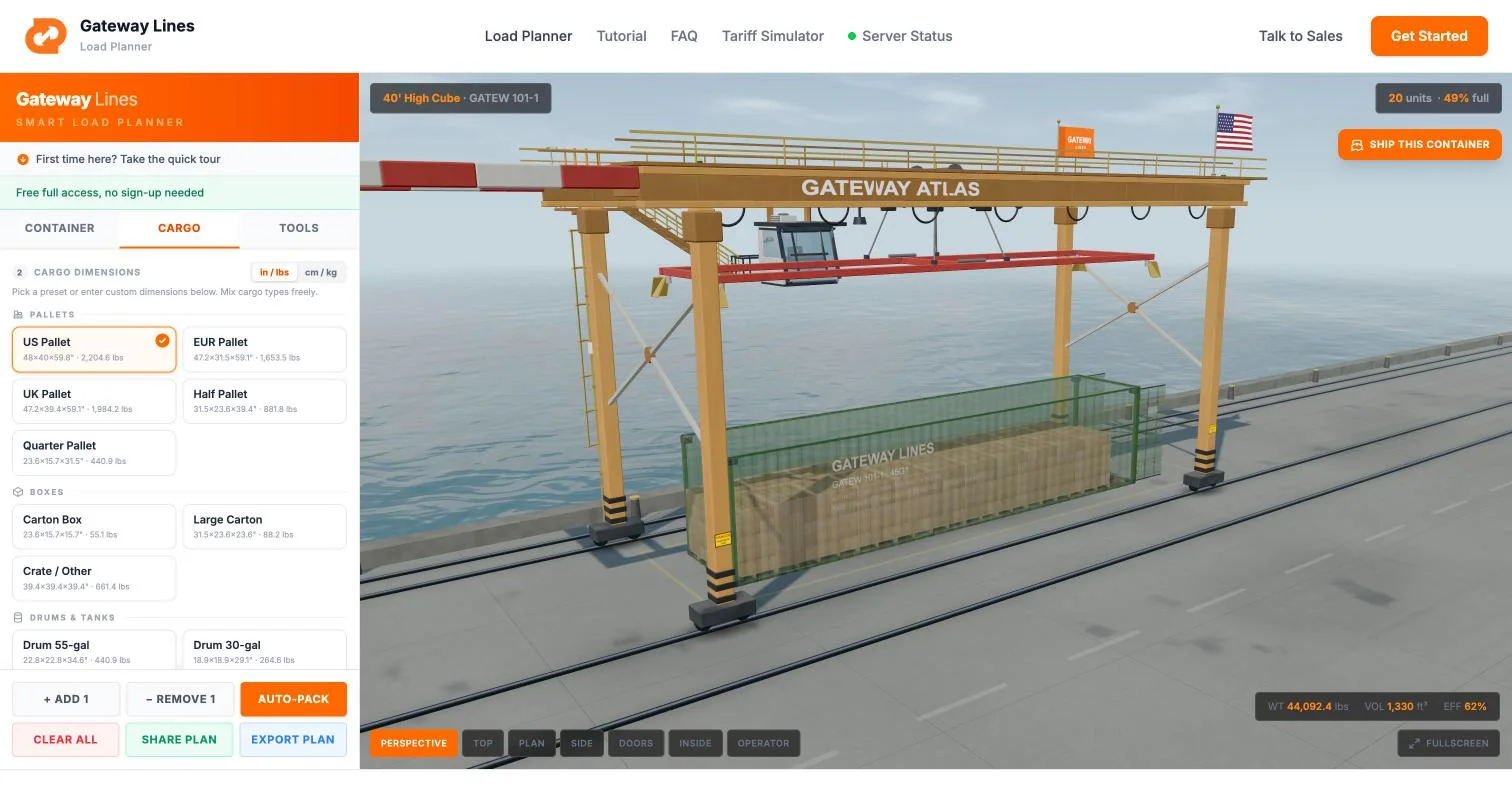
Plan view
The floor plan your warehouse can read
One click turns the 3D load into a 2D drawing: the floor seen from above and the load seen from the side, back wall on the left and doors on the right. It prints the length that is loaded, the space left at the doors and the height of the load against the container.
- Stacked units marked with their count
- Each cargo type in its own colour, with a legend
- Feet or metres, following the units you chose
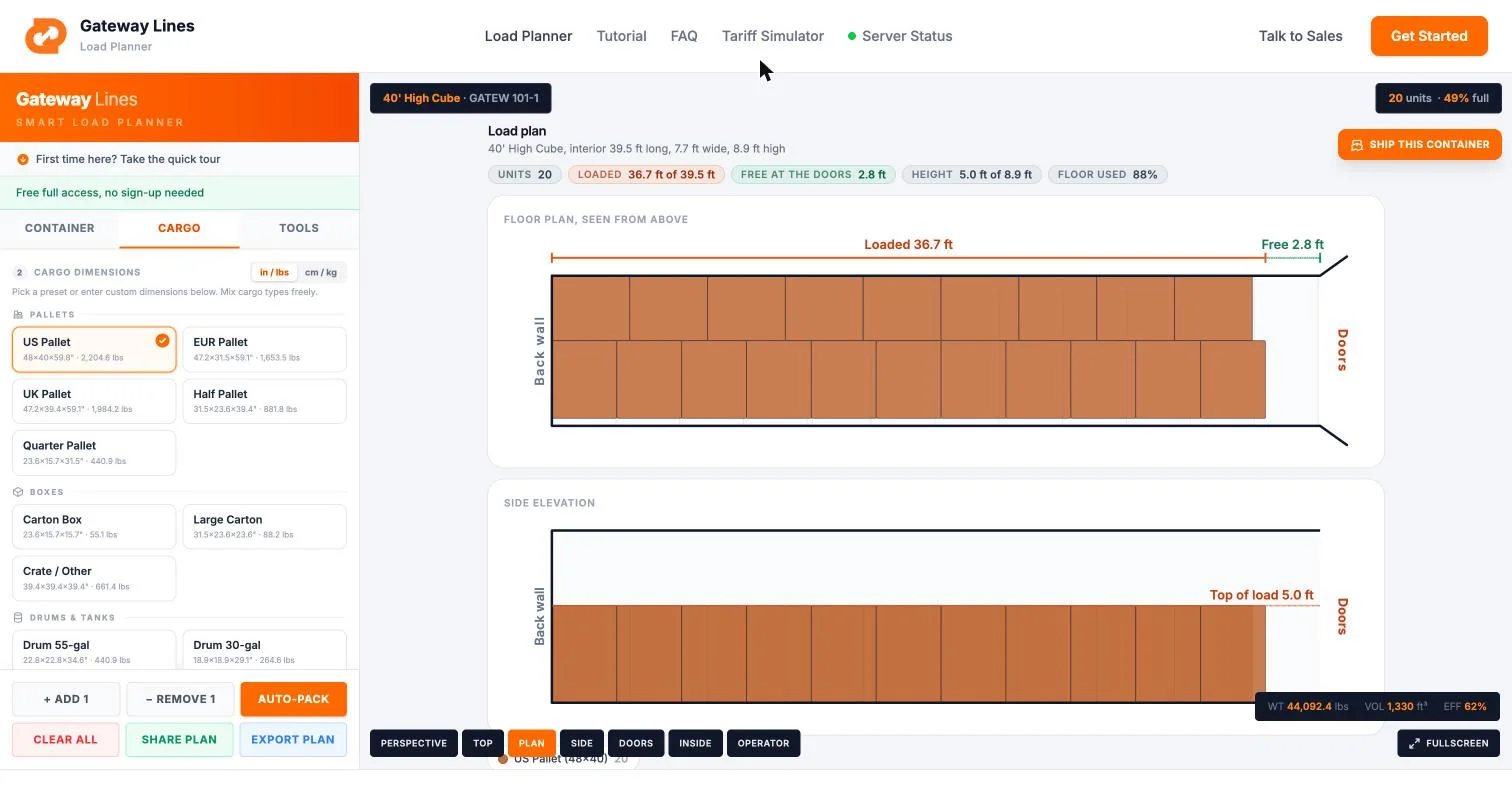
What it does
Everything you need to plan a container load
Auto-pack
Enter the cargo and the quantity. The planner places every unit, back wall first, turning and stacking where you allow it.
Plan view
A clean 2D floor plan and side elevation of the load: how much length is used, what is free at the doors, how high it stands.
X-ray view
Fade the container walls with a slider and look straight through to the cargo.
Floor pressure heatmap
The weight on each part of the floor, in colour, so a heavy corner shows before the truck arrives.
Centre of gravity
A marker for the load's centre of gravity and the weight in four zones along the container.
Mixed cargo
Build a list of different items, each with its own size, weight and quantity, and pack them together.
Six views
Perspective, top plan, side, doors, inside and operator. Orbit and zoom in any 3D view.
Export and share
A PDF with the 3D views, the loading order and the weight report, or a link that opens the same plan.
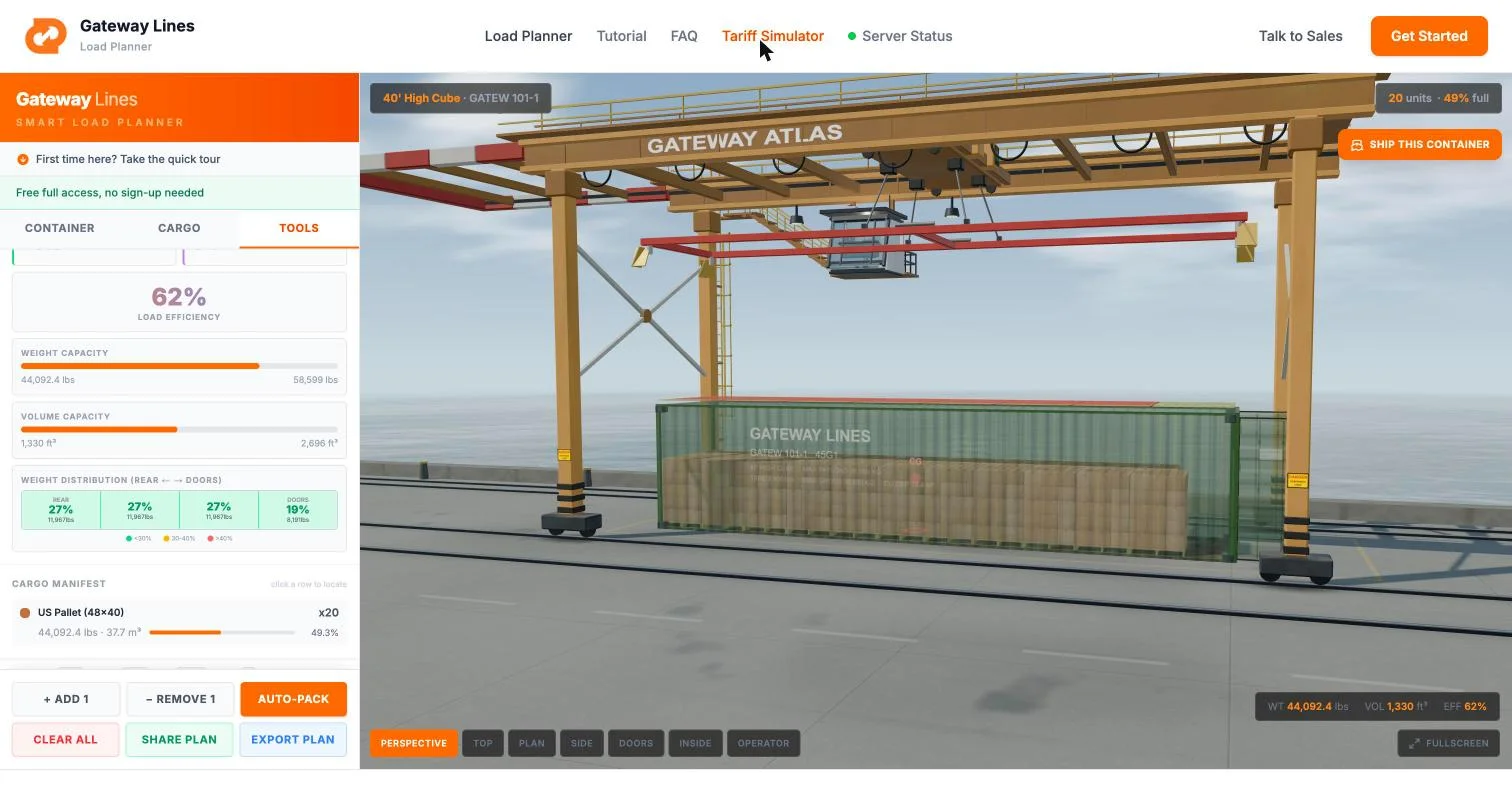
Weight
See where the weight sits before the truck does
A container can be under its payload limit and still be loaded wrong. The heatmap colours the floor by the weight on it, the marker shows the load's centre of gravity, and four zones along the container show how the weight is spread from the back wall to the doors.
The planner packs against each container's payload limit, so an overweight plan is caught on screen and not at the terminal scale.
How it works
Plan your load in five steps
- 1
Choose the container
20' standard, 40' standard, 40' high cube or 45' high cube.
- 2
Enter the cargo
Pick a preset pallet, carton, drum or tote, or type your own length, width, height and weight. Inches and pounds or centimetres and kilograms.
- 3
Auto-pack
The load is placed unit by unit. The planner stops at the payload limit and tells you what did not fit and why.
- 4
Check it
Read the plan view, the weight zones and the centre of gravity. Move, turn or remove any unit by hand.
- 5
Export it
Send the PDF or the link to the supplier or the warehouse that loads the box.
Reference
Container specifications
Interior dimensions, door openings and payload limits per ISO 668. These are the exact figures the planner packs against.
| Container | Interior L x W x H | Door W x H | Capacity | Tare | Max payload |
|---|---|---|---|---|---|
| 20' Standard | 5.90 x 2.35 x 2.39 m | 2.34 x 2.28 m | 33.2 m³ | 2,280 kg | 28,200 kg |
| 40' Standard | 12.03 x 2.35 x 2.39 m | 2.34 x 2.28 m | 67.7 m³ | 3,800 kg | 26,680 kg |
| 40' High Cube | 12.03 x 2.35 x 2.70 m | 2.34 x 2.59 m | 76.4 m³ | 3,900 kg | 26,580 kg |
| 45' High Cube | 13.56 x 2.35 x 2.70 m | 2.34 x 2.59 m | 86.0 m³ | 4,880 kg | 25,600 kg |
Max gross is 30,480 kg on all four, so payload is gross minus tare. Door height is the spec that catches people out: a 40' High Cube gains 30 cm of interior height but the door only opens to 2.59 m. Individual boxes vary slightly by manufacturer.
How many pallets fit?
| Container | US 48x40 in | EUR 1200x800 mm |
|---|---|---|
| 20' Standard | 9 | 11 |
| 40' Standard | 20 | 25 |
| 40' High Cube | 20 | 25 |
| 45' High Cube | 24 | 27 |
Floor positions in a single layer, computed from the ISO 668 interior dimensions above rather than nominal ones, using the better of two floor patterns: strips running the length of the box or rows across it, each turning pallets where that fits more. Double stacking fits more, which depends on your cargo height and weight. The planner works out the exact arrangement for your load. The long answer is on how many pallets fit in a 40ft container.
Cargo
Pallets, cartons, drums or your own dimensions
Start from a preset or type the size and weight of what you actually ship. Mix different items in one container and the planner packs them together.
- US, EUR and UK pallets, half and quarter pallets
- Cartons and large cartons
- Crates and other boxed cargo
- 55-gallon and 30-gallon drums
- IBC totes
- Any item by its own length, width, height and weight
Container loading calculator questions
What is the Gateway load planner?
+
A free 3D container loading calculator. You enter the cargo (pallets, cartons, drums, crates or your own dimensions), choose a container, and it packs the load and shows the result in 3D, as a 2D floor plan and as a side elevation, with the weight distribution and the centre of gravity.
Which container sizes does it support?
+
The 20-foot standard, 40-foot standard, 40-foot high cube and 45-foot high cube, packed against their ISO 668 interior and door dimensions and each size's payload limit.
Is the container loading calculator free?
+
Yes. Every container size, cargo preset, view and export is free, and no account is needed.
How does auto-pack work?
+
It reads each item's dimensions, weight and quantity, then places the units from the back wall toward the doors, turning and stacking them where you allow it. It keeps to the container's payload limit and door opening, and it reports what did not fit.
How many pallets fit in a 40-foot container?
+
On the floor, in one layer, a 40-foot container takes 20 US pallets (48 x 40 in) or 25 EUR pallets (1200 x 800 mm). A 20-foot takes 9 US or 11 EUR pallets, and a 45-foot high cube 24 US or 27 EUR. Stacking fits more where the cargo height and weight allow it.
Can I export or share the load plan?
+
Yes. Export a PDF with the 3D views, the loading order and the weight report, or share a link that opens the same plan.
Plan the load. Then ship it with us.
The planner is free for anyone. Gateway Lines is the ocean freight forwarder and NVOCC behind it: when the plan is ready, we quote the container.